


Portfolio

Portfolio > Cybersecurity Dashboard

Cybersecurity Dashboard

Cybersecurity

Dashboard

Portfolio > Cybersecurity Dashboard

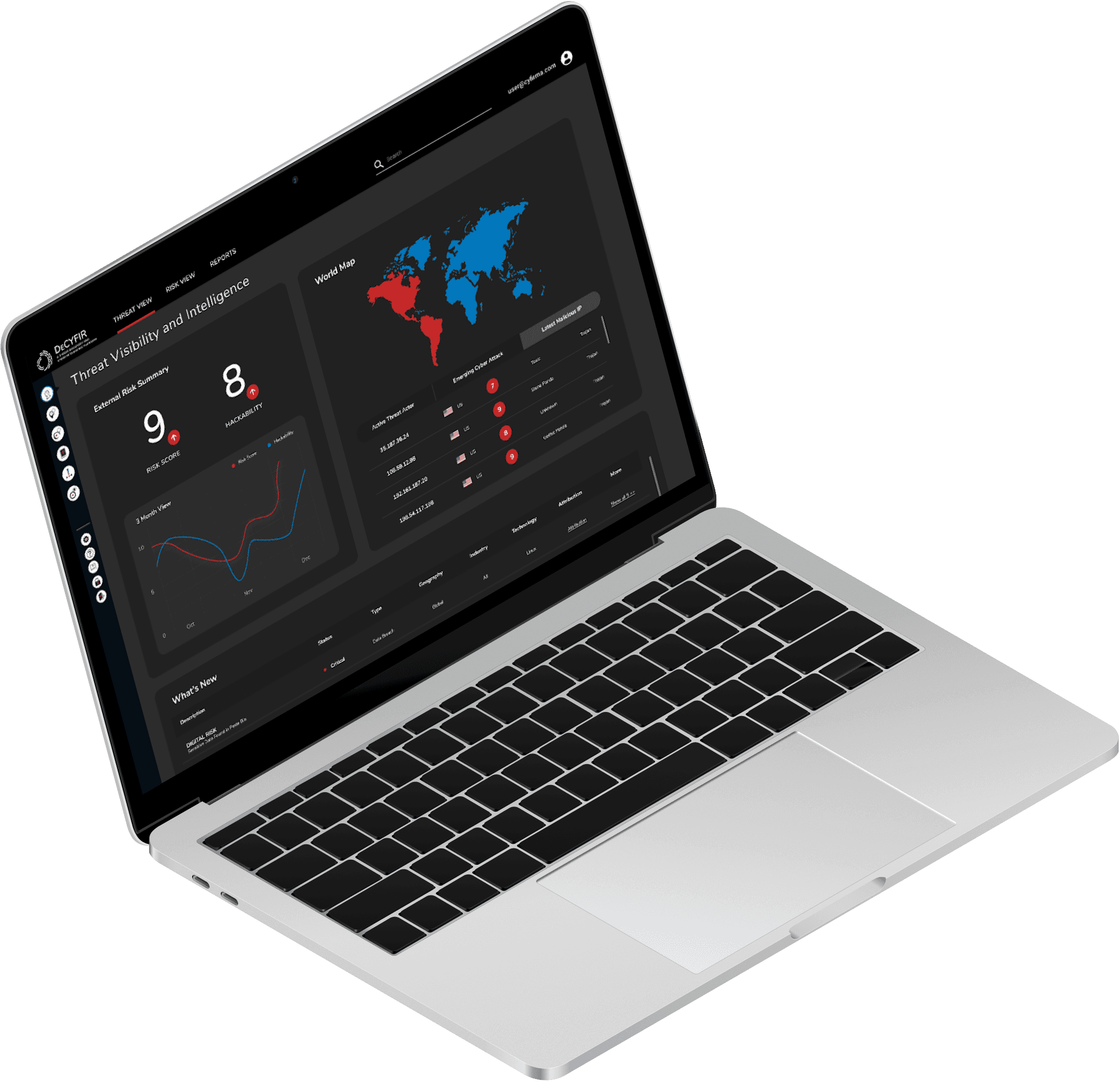
A new cybersecurity company wanted to quickly discover how to differentiate their product. Working with its C-suite stakeholders, I facilitated a half-day workshop that dove into their users and competitors, deriving a design approach that was tailored to three different types of cybersecurity professionals.

Role

Workshop

Facilitator

Duration

1/2 Day

(2020)

Team

1 Account Manager,

1 UI Designer

Summary

Facilitated the co-creation of a user-centred design by steering the discussion and ensuring an in-depth understanding of user problems.

Enhanced the usability of a cybersecurity dashboard via a design strategy of tailoring its information hierarchy to each user type.

Completed the productive session in 4 hours to the client's delight.

A new cybersecurity company wanted to quickly discover how to differentiate their product. Working with its C-suite stakeholders, I facilitated a half-day workshop that dove into their users and competitors, deriving a design approach that was tailored to three different types of cybersecurity professionals.

Role

Workshop Facilitator

Duration

1/2 Day

(2020)

Team

1 Account Manager,

1 UI Designer

Summary

Facilitated the co-creation of a user-centred design by steering the discussion and ensuring an in-depth understanding of user problems.

Enhanced the usability of a cybersecurity dashboard via a design strategy of tailoring its information hierarchy to each user type.

Completed the productive session in 4 hours to the client's delight.

The Problem

Because reaching their target audience for user research was challenging, the stakeholders wanted to have a half-day workshop for discovery.

The stakeholders did have an insight on a common problem that they needed to solve: They knew that cybersecurity professionals often experienced information overload when using cybersecurity dashboards.

So how might we design a cybersecurity dashboard where users can see or do what is needed without being overloaded with information?

Challenges

Lack of access to users

  • Without direct access to users, I had to find a way to obtain enough insights on users' goals and pain points to understand how to solve the problem.

Limited workshop time

  • A half-day workshop (about 4 hours) was not a lot of time to explore the problem and come up with solutions to design.

Solutions

Solution 1: Tapping into the stakeholders' expertise

In lieu of user research, I decided to leverage the clients' knowledge of their industry by asking them about the types of users who use cybersecurity dashboards.

We were able to identify three user groups as well as the scope of their responsibilities:

  1. Chief Info Security Officer (CISO)

    • Understands threats and their likelihood

    • Knows industry trends (e.g. new markets, compliance)

    • Sees adversary info (e.g. who the potential hackers are)

    • Reports to executives and board members

  1. Chief Info Security Officer (CISO)

    • Understands threats and their likelihood

    • Knows industry trends (e.g. new markets, compliance)

    • Sees adversary info (e.g. who the potential hackers are)

    • Reports to executives and board members

  1. Chief Risk Officer (CRO)

    • As risk owner, manages and mitigates risks

    • Ensures risk view is incorporated into key decision making

    • Ensures risks are articulated for organisational planning

    • Keep stakeholders informed of risks in deciding policy options

  1. Chief Risk Officer (CRO)

    • As risk owner, manages and mitigates risks

    • Ensures risk view is incorporated into key decision making

    • Ensures risks are articulated for organisational planning

    • Keep stakeholders informed of risks in deciding policy options

  1. Security Operations (SOC)

    • Conducts event triage to find malicious activities

    • Checks on and accurately validate security alerts

    • Detects and patches loopholes and vulnerabilities quickly

    • Proactively updates security controls to block threats

  1. Security Operations (SOC)

    • Conducts event triage to find malicious activities

    • Checks on and accurately validate security alerts

    • Detects and patches loopholes and vulnerabilities quickly

    • Proactively updates security controls to block threats

Solution 2: Facilitating a co-creation process

Effective facilitation was crucial in ensuring we could properly understand the problem and come up with solutions in time. I actively steered the conversation, asking questions next about each user group: About their jobs-to-be-done, their priorities, and their pain points.
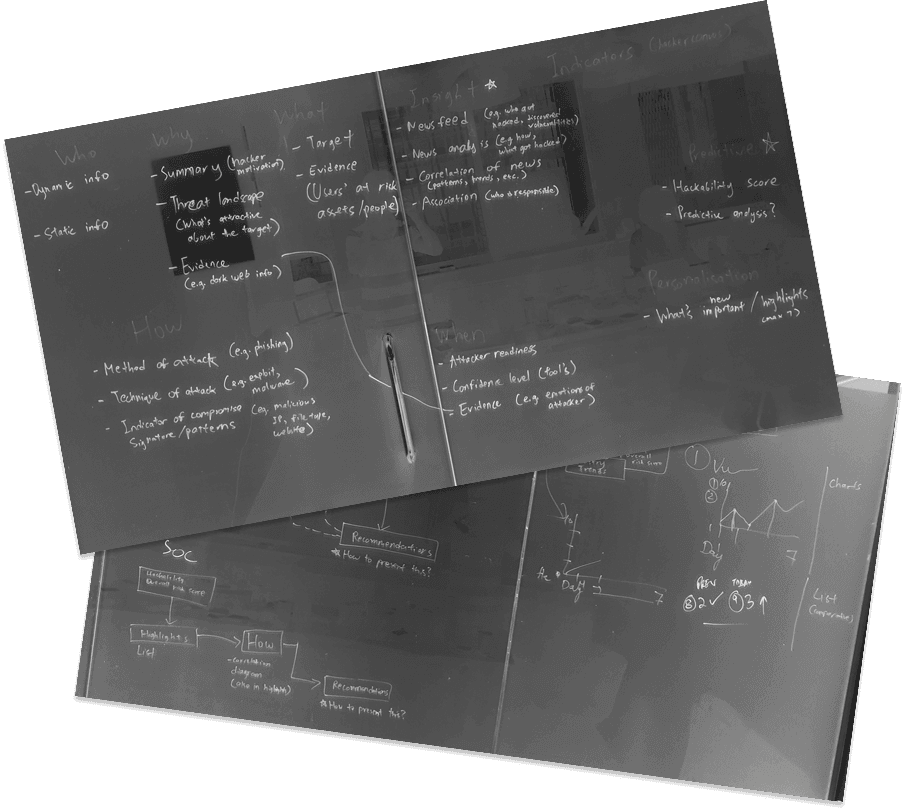
Based on the insights, I then led a discussion on how we could solve the problem, starting from the user journey.

The group worked out that in order not to overload users with information, we needed to consider the dashboard’s information hierarchy and what actions were immediately available to a user.

I went on to guide the group in mapping out the ideal user journeys. As we refined the journey maps and created user flows, each user group ended up with a unique flow, seeing the information and actions that were most important to them first.
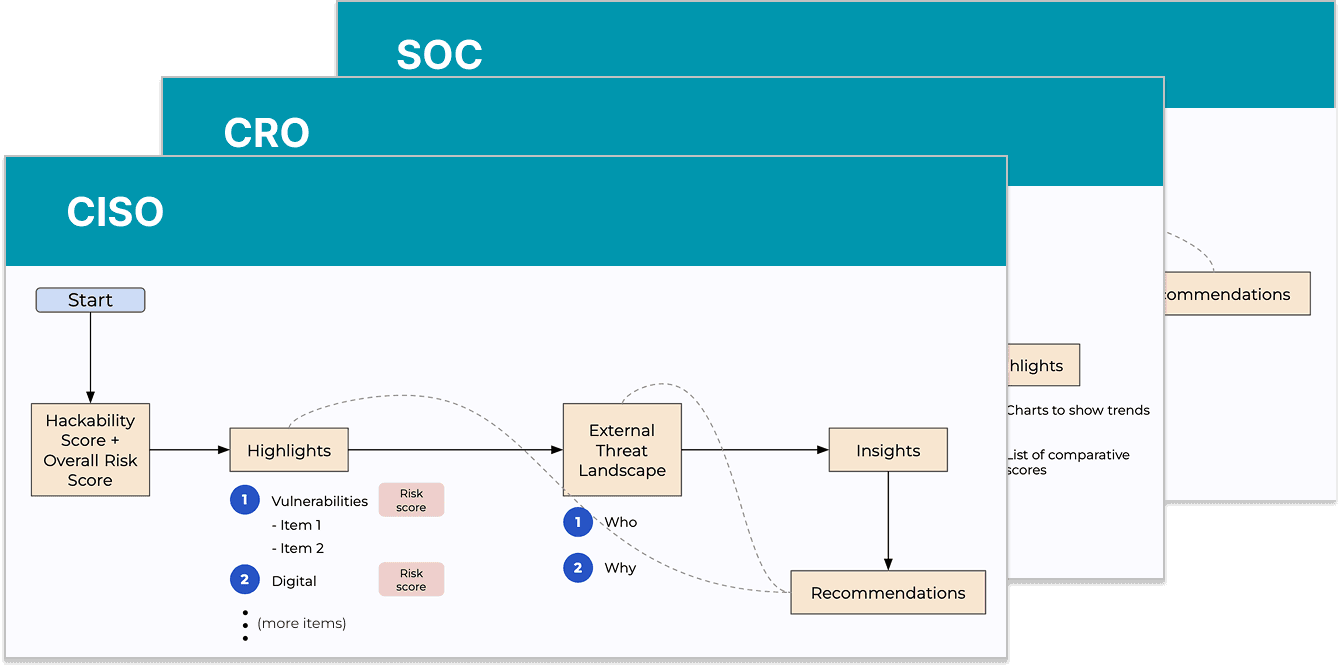
For example, the dashboard would prioritise giving a higher-level view to a CISO (e.g. via a world map of incidents) while providing operational granularity to an SOC upfront (e.g. via a list of recent incidents or events).

This would set the dashboard apart from its competition by making it more intuitive for each user type from the get go.

Outcome

Visual design

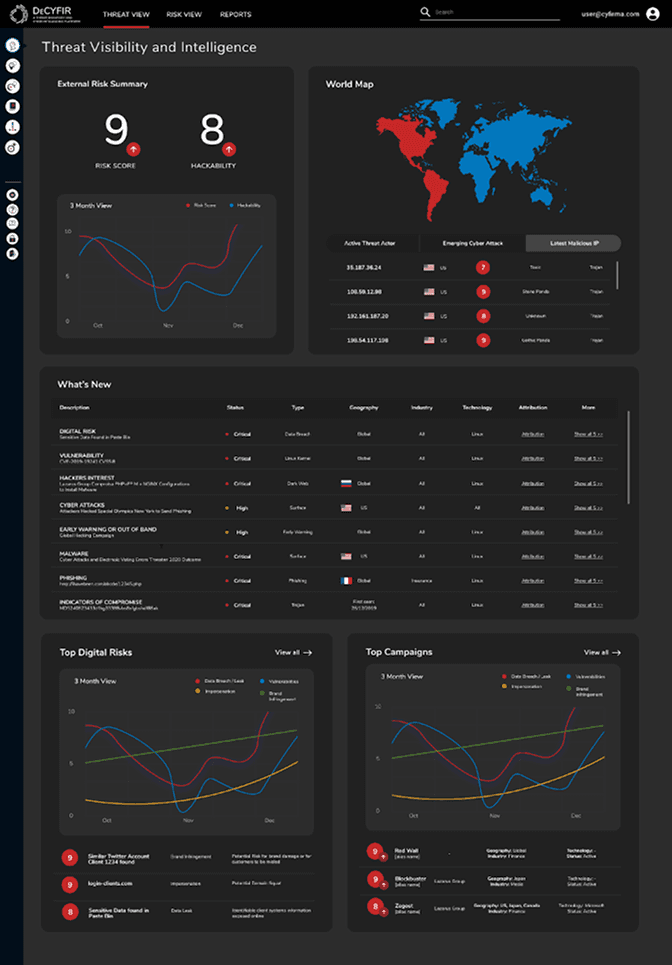
Having worked out the user flows and information hierarchy, we were able to conclude by defining the product’s look and feel.

The group opted for rounded shapes and corners to soften the data-heavy interface. And to ensure visual clarity, I helped establish an intuitive colour scheme to indicate information priority—from blue for low-risk incidents to deep red for the critical.
Results and reflections

At the end of the session, the stakeholders were happy with how my facilitation had resulted in an actionable strategy for their product's design within the allotted time.

I was also happy with the session and gained valuable experience in facilitating a semi-structured discussion involving executive-level participants.

On hindsight, however, setting a clearer agenda upfront could have lent more structure to the session and allowed us to explore the dashboard's designs in greater depth in the available time.

Back to top

Create a free website with Framer, the website builder loved by startups, designers and agencies.